Your work should not stop when you leave your office. Whether you are travelling, attending a client meeting, working remotely, or managing your business outside regular office hours, you may need quick access to emails, documents, meetings, and team conversations. This is why mobile access has become an important part of modern business operations.
Today, employees expect to manage their daily tasks from smartphones and tablets without depending on a desktop computer for every activity. A mobile-friendly workplace platform makes it easier to respond to important messages, review files, coordinate with colleagues, and stay updated from almost anywhere.
Zoho Workplace supports this flexible way of working by bringing business email, file storage, office applications, and team communication tools into one connected environment. Its mobile applications allow users to access several workplace services through Android and iOS devices.
In this blog, we will explore how mobile access works, which applications you can use, how to set them up, and what to know about plans and pricing. For businesses in Pakistan, SpixHost provides Zoho Workplace at affordable and discounted prices, along with Google Workspace, Microsoft 365, Chrome OS, hosting, domains, software development, MVP development, and data migration services.
Can I Access Zoho Workplace on Mobile Devices?
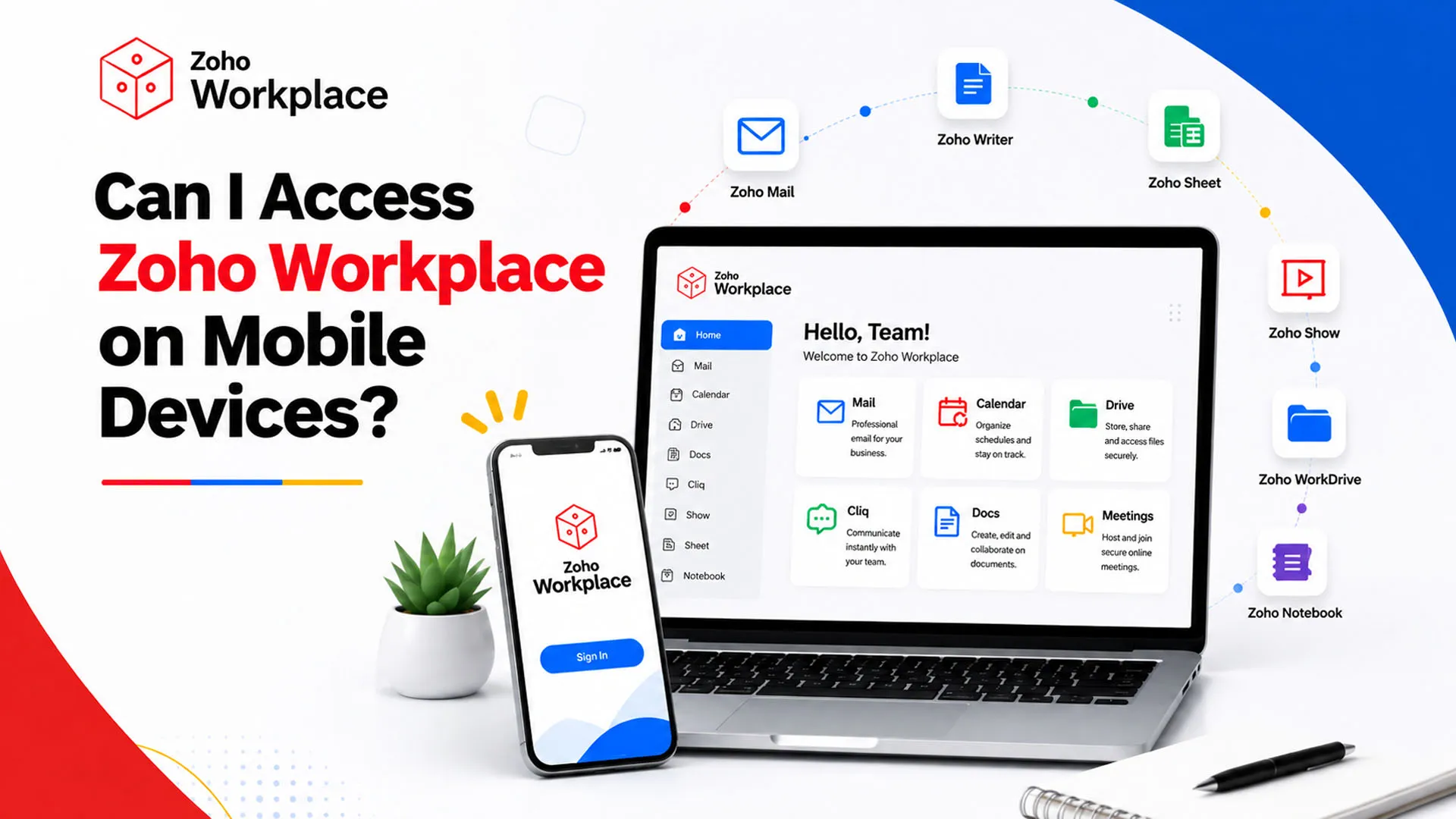
Yes, you can access Zoho Workplace on Android smartphones, iPhones, and tablets. Zoho provides an integrated mobile application as well as individual applications for different services. This means you can choose between accessing several tools from one place or downloading only the applications you use regularly.
For example, you can check business emails through Zoho Mail, open shared documents using WorkDrive, communicate with colleagues through Cliq, and join online meetings through Meeting. These applications help employees stay connected even when they are away from their office computers.
Mobile access is useful for business owners, managers, sales representatives, and remote employees who need to respond to work-related matters throughout the day. Instead of waiting until they return to the office, they can handle many routine activities directly from their phones.
The available features may vary depending on the application, subscription plan, device, and organization settings. However, the mobile experience gives teams more flexibility and supports Mobile productivity without requiring employees to carry a laptop everywhere.
What Zoho Workplace Apps Can You Use on Your Smartphone?
Different employees have different responsibilities, so they may need different applications during the workday. The platform includes several tools for communication, file management, and document editing. Together, these Mobile apps for business management help employees handle routine tasks while away from their desks.
1. Zoho Mail for Business Emails
Zoho Mail allows users to access their professional inbox through a mobile application. You can read incoming messages, send emails, reply to clients, organize conversations, and open attachments.
It is particularly useful for employees who regularly communicate with customers, suppliers, and business partners. With notifications enabled, users can receive updates about important messages and respond without opening a computer.
Businesses that want to Access business emails on mobile can use this application to keep professional communication within reach.
2. Zoho WorkDrive for File Storage
WorkDrive provides access to business files, shared folders, and team documents. Users can upload files, browse folders, share documents, and access content stored in their organization's cloud workspace.
One useful feature is offline access. Employees can mark selected files or folders for offline availability and open them later without an active internet connection. The application also supports document scanning through a smartphone camera.
This makes it easier to Manage business documents remotely, especially when employees need to review or share files while visiting clients or travelling.
3. Zoho Cliq for Team Communication
Zoho Cliq helps employees communicate through direct messages, group conversations, and channels. Team members can share updates, discuss projects, exchange files, and coordinate tasks.
It supports Business communication by giving employees a shared place to discuss work instead of depending entirely on individual emails.
4. Zoho Writer, Sheet, and Show for Office Work
Zoho also provides mobile applications for creating and managing documents, spreadsheets, and presentations.
| Application | What you can do |
| Zoho Writer | Create, read, and edit documents. |
| Zoho Sheet | View and work with spreadsheets. |
| Zoho Show | Access and manage presentations. |
These applications are helpful when employees need to review a report, check figures, or make changes to a presentation while away from their desks. They are examples of Cloud-based office applications that support everyday business tasks. For complex formatting or detailed editing, a laptop or larger screen may still be more convenient.
5. Zoho Meeting and Calendar
Zoho Meeting allows users to join online meetings through supported devices. Employees can participate in discussions, attend client calls, and connect with colleagues remotely.
Zoho Calendar helps users manage schedules, view events, and coordinate meetings. Together, these applications make it easier to organize work commitments while moving between locations.
How to Access Zoho Workplace on Android and iPhone?
Getting started does not require a complicated setup. You need a compatible device, an active account, and an internet connection.
Follow these steps:
Step 1: Open the App Store
Android users should open the Google Play Store, while iPhone and iPad users should visit the Apple App Store.
Step 2: Search for the Required Application
Search for the official Zoho Workplace app or an individual application such as Mail, WorkDrive, or Cliq. Check that the publisher is Zoho Corporation before downloading.
Step 3: Install the Application
Select the application and complete the installation process. Make sure your device has enough storage and meets the application's operating system requirements.
Step 4: Sign In to Your Business Account
Open the application and enter your registered business email address and password. If your organization uses multi-factor authentication, complete the additional verification step.
Step 5: Set Up Notifications and Permissions
Allow relevant notifications so you can receive important updates. You may also need to provide permissions for features such as camera access when scanning documents or uploading files.
Once setup is complete, you can start using the relevant tools for everyday work.
Can I Use Zoho Workplace Without Installing an App?
Yes. You can access supported services through a mobile web browser without installing every application on your device. Simply open the relevant Zoho service, sign in with your business account, and use the available browser interface.
This option is useful when you are using a temporary device or do not want to install additional applications. However, the experience may differ from using a dedicated mobile app. Some features and controls may be easier to access through the application designed for smartphones.
For regular users, installing the tools they need can make everyday tasks more convenient. Businesses can also choose applications according to employee responsibilities instead of asking everyone to install the entire collection.
Can You Work Offline Using Zoho Workplace?
Not every workplace feature works without an internet connection. Sending emails, synchronizing files, joining online meetings, and receiving new messages generally require connectivity.
However, some applications offer offline options. For example, WorkDrive allows users to mark selected files and folders for offline access. Employees can save important documents while connected to the internet and open them later when connectivity is unavailable.
This can be helpful for field employees, travelling teams, and professionals who work in locations with unreliable internet access. It is a good idea to prepare important files in advance rather than assuming every cloud feature will remain available offline.
Can I Use Zoho Workplace on Multiple Devices?
Yes. Users can access supported services through smartphones, tablets, and computers using their business accounts. This allows employees to move between devices as their workday changes.
For example, an employee can check an email on a phone while travelling, review a shared document on a laptop later, and join a meeting using a tablet. This flexibility supports Cloud collaboration and helps employees stay connected across different working environments.
However, access may depend on the organization's security policies. Administrators can apply account and device restrictions, so employees should contact their IT team if they cannot sign in from a new device.
How Does Mobile Access Help Remote Teams?
Mobile access is useful for more than checking emails. It gives employees a practical way to stay involved in daily business activities when they are not physically present in the office.
Here are some benefits:
- Faster communication: Employees can respond to important messages and updates without waiting to return to their desks.
- Easy file access: Team members can open shared documents and review information while travelling or meeting clients.
- Flexible working: Employees can manage supported tasks from different locations and devices.
- Better coordination: Messaging, calendars, and meetings help teams stay aligned.
- Connected workflows: Different applications work together to support everyday office activities.
These capabilities make Productivity tools for remote teams valuable for organizations with employees working from offices, homes, and client locations. They also support Workplace collaboration on smartphones, allowing teams to remain connected throughout the workday. Businesses exploring Remote work solutions can consider these capabilities when deciding which tools their employees need.
Is Zoho Workplace Free?
Zoho offers different subscription options, including paid email plans and complete workplace packages. It also advertises a free email hosting option for up to five users with 5 GB of mail storage per user, but this option is available only in selected data centres and does not include IMAP, POP, or ActiveSync.
Paid plans provide additional applications, storage, and business features. The right choice depends on whether your organization needs professional email only or a broader collection of communication, document, and collaboration tools.
When comparing Office productivity software, businesses should consider the number of users, storage requirements, mobile access, and the applications employees will use regularly.
How Much Does Zoho Workplace Cost in Pakistan?
If you are planning to purchase Zoho Workplace through SpixHost, you can choose from different subscription plans according to your team's requirements and budget. Each plan offers different storage limits, email features, and collaboration tools, allowing businesses to select an option that suits their daily operations.
Here is a breakdown of the available Zoho Workplace plans and their displayed prices:
| Zoho Workplace Plan | Annual Billing (Per User/Month) | Monthly Billing |
| Workplace Standard | US$2 | US$3 |
| Mail Lite (5 GB) | US$1 | Not Available |
| Mail Premium | US$4 | Not Available |
| Workplace Professional | US$4.50 | US$5.50 |
| Workplace Enterprise | Custom Pricing | Contact Sales |
The Mail Lite plan also offers a 10 GB storage option. Workplace Standard includes 30 GB of mail storage per user and 100 GB of team file storage, while Workplace Professional provides 100 GB of mail storage per user and 1 TB of team storage. Enterprise plans offer customized features and pricing based on business requirements.
Through SpixHost, businesses can explore these subscription options and select a suitable plan for their employees. You can also discuss additional storage requirements and available features before making a purchase.
If you want to get started, visit the spixhost to explore the plans and contact the team for purchasing assistance.
Why Choose SpixHost?
Choosing a workplace platform is only one part of setting up an effective digital working environment. Businesses should also consider the right subscription, employee requirements, storage needs, and the services needed to support their daily operations.
The available Workplace solutions for small businesses and larger organizations can bring professional email, cloud storage, meetings, document applications, and team communication into one connected environment. Businesses can explore available plans, consider additional storage options, and select a setup that matches their workflow.
For organizations comparing Zoho Workplace in Pakistan, the right subscription should support current requirements while allowing room for future growth. You can review the available options and choose a plan according to your team's size, communication needs, and storage usage. If you want to Buy Zoho Workplace in Pakistan, compare the features and storage included in each plan before making your decision. Businesses looking for Business email solutions in Pakistan should also consider how the selected service will support their employees' everyday communication.
Frequently Asked Questions
1. Can I use Zoho Workplace on an iPhone?
Yes. You can download the official applications from the Apple App Store and sign in using your business account. Supported tools include Mail, WorkDrive, and other workplace applications.
2. Can I access my business files without an internet connection?
Yes, selected WorkDrive files and folders can be saved for offline access. You need to make them available offline while connected to the internet.
3. Can I use Zoho Workplace on both my phone and laptop?
Yes. Supported services can be accessed across multiple devices, subject to your organization's account and security settings.
4. Is Zoho Workplace suitable for small businesses?
Yes. Businesses can select a subscription according to their number of employees, email requirements, storage needs, and collaboration activities.
5. How do I choose the right Zoho Workplace plan?
Compare the available applications, mail storage, file storage, and subscription costs. Consider how many employees will use the service and which features they need for their daily work.