Choosing the right operating system can make a real difference in how smoothly you work, manage tasks, and protect your data. Benefits of ChromeOS go beyond simple browsing, offering a fast, secure, and easy-to-manage environment for everyday users and businesses.
For businesses looking for reliable and cost-effective technology, finding the best ChromeOS solutions in Pakistan
In this blog, we’ll explore the key features, advantages, and practical uses of ChromeOS, helping you understand whether it is the right choice for your needs.
For businesses in Pakistan, SpixHost
What Is ChromeOS and How Does It Work?
ChromeOS is an operating system developed by Google and designed primarily for internet-connected computing. It powers Chromebook laptops and other compatible devices, providing users with an environment where they can browse the web, use applications, manage files, and complete everyday tasks.
Unlike traditional desktop systems that often depend on locally installed software, ChromeOS places strong emphasis on web applications and cloud services. Users can access online tools, save files to cloud storage, and synchronize information across supported devices.
However, it is not limited to browser-based activities. Compatible devices also support Android applications through Google Play, while Linux development environments are available on supported hardware.
The system is designed to provide a straightforward computing experience with automatic updates and built-in security features. Its lightweight approach makes it suitable for users who primarily work with web-based applications and cloud services.
What Are the Main Benefits of ChromeOS?
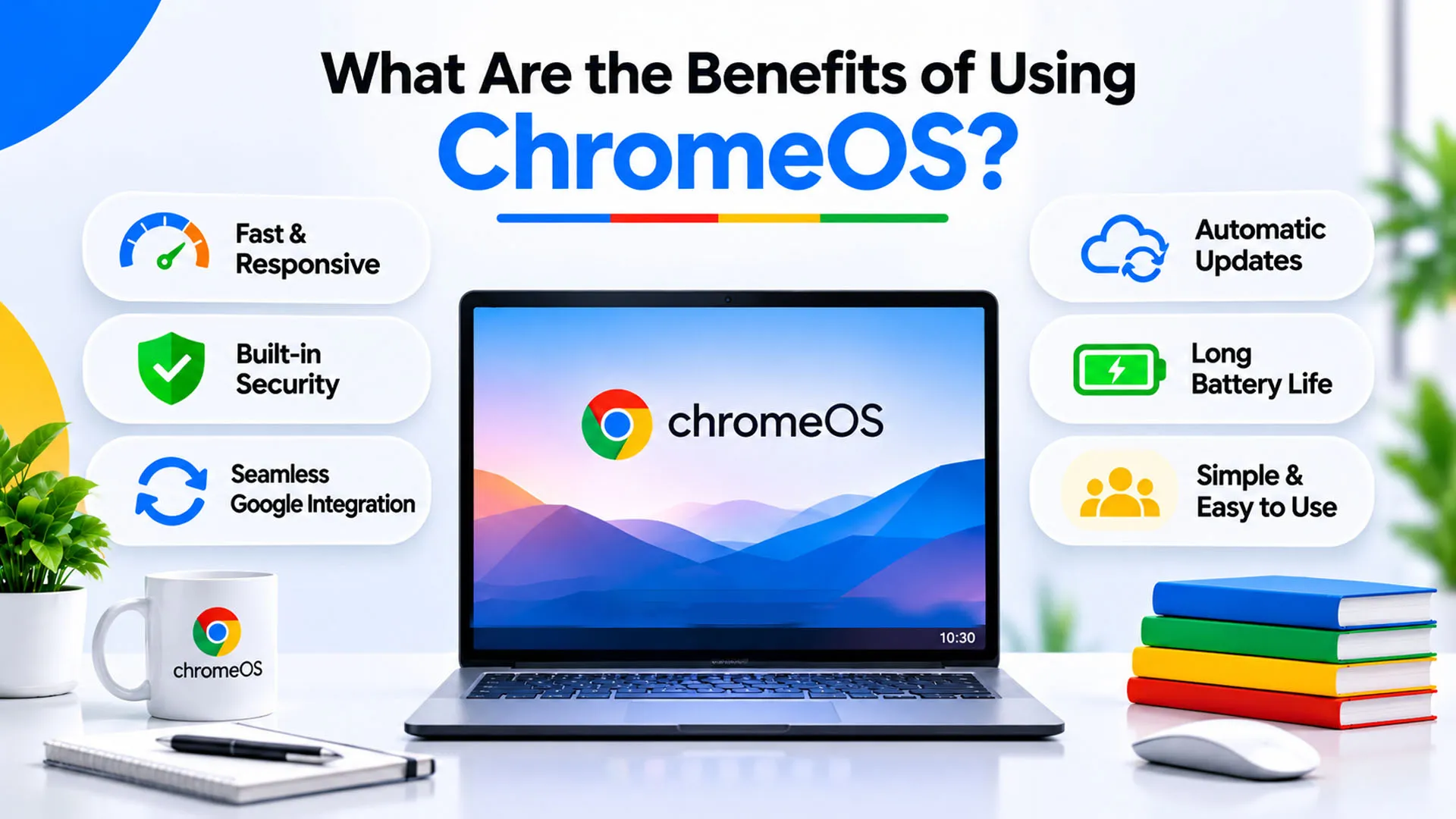
There are several reasons why individuals and organizations consider ChromeOS for their computing needs. From security and performance to device management and productivity, it offers features that support modern working environments.
1. Built-In Security for Everyday Protection
Security is one of the most important considerations when choosing an operating system. Computers are used for emails, business documents, financial activities, and personal information, making protection against online threats essential.
One of the major Benefits of ChromeOS
Important security features include:
- Verified Boot:
- Sandboxing:
- Data Encryption:
- Read-only system files:
- Automatic updates:
These protections work together to create a safer computing environment. However, users should still follow good security practices, including using strong passwords and avoiding suspicious downloads.
2. Fast Startup and Smooth Performance
Nobody wants to wait several minutes for a computer to become ready. Slow startup times and unnecessary background processes can interrupt daily activities.
ChromeOS is designed to provide a responsive computing experience. Users can start their devices, sign in, and access supported applications without dealing with complicated desktop configurations.
Its lightweight design is particularly useful for everyday activities such as browsing websites, checking emails, attending online meetings, and working with cloud documents.
Performance still depends on the device's processor, memory, storage, and workload. A basic Chromebook may handle everyday tasks comfortably, while demanding development or professional applications may require more capable hardware.
3. Automatic Updates Without Constant Manual Work
Keeping an operating system updated is important for maintaining security, compatibility, and performance. However, manually checking and installing updates can become an inconvenience.
ChromeOS automatically downloads and installs supported system updates in the background. Users generally need to restart their devices when an update is ready to complete the installation.
This reduces the need to manage updates manually and helps devices stay current with security improvements and system features.
For organizations managing several computers, automatic updates can also reduce routine maintenance work for IT teams.
4. Easy Access to Applications and Cloud Services
Modern businesses use different applications for communication, document creation, project management, and data storage. An operating system should make these tools easy to access.
ChromeOS supports web applications through its browser-based environment. Users can work with Google Workspace, Microsoft 365, online project management platforms, and many other web services.
Compatible devices also support Android applications, giving users access to additional tools through Google Play.
This flexibility makes Cloud computing for businesses
5. Better Support for Remote Work and Collaboration
Remote and hybrid working have increased the need for devices that allow employees to stay connected from different locations.
ChromeOS supports browser-based communication, online meetings, document sharing, and cloud collaboration. Employees can access supported applications from home, the office, or while travelling.
For example, a team can use Google Workspace or Microsoft 365 to create documents, share files, and communicate with colleagues. As long as the required services and internet connection are available, employees can continue their work from different locations.
These capabilities make the platform useful for Remote work technology
6. Simplified Device Management for Businesses
Managing multiple computers can be challenging for organizations. IT teams need to configure devices, apply security policies, manage accounts, and ensure employees have access to the applications they need.
ChromeOS supports centralized device management through Google Admin console when organizations use the relevant management services and licences.
Administrators can manage enrolled devices, configure policies, control access, and remotely wipe data from lost or stolen devices where supported.
Another useful feature is zero-touch enrollment. It allows eligible, pre-registered devices to enroll automatically when employees connect them to the internet and sign in.
These capabilities can make deploying and managing devices easier for businesses with multiple employees.
7. Access to Android and Linux Applications
Although ChromeOS focuses heavily on web applications, it also supports additional application environments.
On compatible devices, users can install Android applications through Google Play. This provides access to mobile applications for communication, entertainment, productivity, and other activities.
ChromeOS also supports Linux development environments on eligible devices. Developers can use supported Linux tools, command-line utilities, and development applications for programming tasks.
This makes the system more versatile than a browser-only computing environment. However, application availability depends on device compatibility, hardware requirements, and software support.
8. A Practical Option for Different Budgets
Businesses often need to consider more than the initial purchase price of a computer. Maintenance, updates, security management, and device replacement also affect technology expenses.
Some Chromebook models offer affordable hardware options for everyday computing. ChromeOS can also simplify certain management activities through automatic updates and centralized administration.
However, the total cost depends on the device specifications, management licences, application subscriptions, and business requirements. Organizations should compare complete ownership costs rather than assuming every device will be inexpensive.
This makes Affordable business technology solutions in Pakistan
How Does ChromeOS Compare with Windows?
Both ChromeOS and Windows are popular operating systems, but they are designed around different computing experiences. Windows supports a broad range of desktop applications and hardware configurations, while ChromeOS focuses more on web-based applications, cloud services, and simplified device management.
Here is a basic comparison:
| Feature |
Why Choose ChromeOS Over Windows?
The choice depends on how you use your computer.
ChromeOS may be a suitable option if you primarily use browsers, online documents, email, video meetings, and cloud applications. It can also be useful for organizations that want simpler device deployment and centralized management.
Windows may be more suitable if your work depends on specialized desktop software, advanced video editing applications, or programs that require a traditional Windows environment.
Before switching, check whether your essential business applications are supported. You should also consider whether your employees need offline access or specific desktop programs.
Is ChromeOS Suitable for Businesses?
Yes, ChromeOS can support businesses that depend on online applications, communication tools, and cloud-based workflows. Its security architecture, automatic updates, and centralized management options make it worth considering for organizations with distributed teams.
For example, educational institutions can use compatible devices for classroom activities, while customer support teams can access browser-based systems and communication platforms. Small businesses can also use cloud applications to manage documents, emails, and daily operations.
The right setup depends on employee responsibilities, software compatibility, internet availability, and device requirements. Businesses should identify their actual workloads before deciding whether this operating system is suitable.
What About Existing Computers?
Organizations do not always need to replace their existing hardware to explore a different computing environment. ChromeOS Flex is Google's option for installing a ChromeOS-based experience on supported Windows, Mac, and Linux computers.
It can help extend the usefulness of compatible older devices, although not every computer model is certified or guaranteed to support all hardware features. Businesses should check device compatibility before installation.
What Should You Consider Before Switching?
Although there are several advantages, ChromeOS is not the right choice for every user or business. Consider these factors before making a decision:
- Internet requirements:
- Software compatibility:
- Hardware specifications:
- Business requirements:
- Subscription costs:
Understanding these limitations helps businesses choose a suitable setup instead of switching operating systems without evaluating their needs.
Why Choose SpixHost for ChromeOS Solutions?
Choosing an operating system is an important technology decision, particularly for businesses planning to introduce new devices or modernize existing infrastructure. Organizations should consider device compatibility, employee requirements, security, and management before implementation.
For companies exploring ChromeOS solutions in Pakistan
SpixHost also provides other services, including Google Workspace, Zoho Workplace, Microsoft 365, hosting, domains, software development, MVP development, and data migration. These services can help businesses bring different parts of their digital operations together.
If you are looking for IT solutions for small businesses in PakistanSpixHost ChromeOS solutions
Frequently Asked Questions
1. What makes ChromeOS different from other operating systems?
It focuses on web-based computing, automatic updates, built-in security, and integration with cloud services. It also supports compatible Android and Linux applications.
2. Is ChromeOS good for everyday use?
Yes. It is suitable for browsing, emails, online meetings, document editing, streaming, and other everyday activities, provided your required applications are supported.
3. Can businesses use ChromeOS for daily operations?
Yes. Organizations can use compatible devices for communication, cloud applications, document management, and other business activities. Device management features can also help IT teams manage multiple computers.
4. Does ChromeOS require an internet connection?
Not for every activity. Some applications support offline functionality, but many cloud-based services require an internet connection to access and synchronize information.
5. Can I install ChromeOS on an old laptop?
You may be able to install ChromeOS Flex on a compatible older computer. However, you should check Google's certified models list and hardware requirements before installation.